Follow us on Facebook
Breaking updates in your feed — tap to open
With iPadOS continuing to evolve, Apple’s tablet has firmly established itself as a legitimate laptop replacement for many users. Whether you’re a student, creative professional, or business traveler, the right keyboard accessory can transform your iPad from a consumption device into a powerful productivity workstation. The keyboard you choose directly impacts your typing experience, device protection, and overall workflow efficiency.
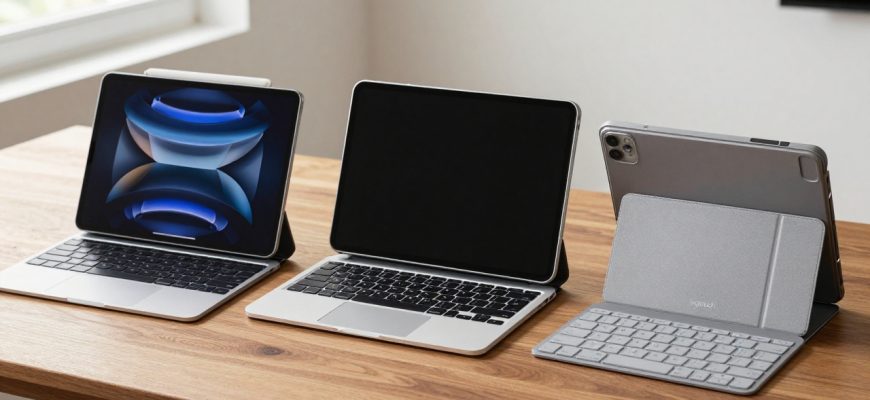
This comprehensive comparison examines three of the most popular iPad keyboard options on the market: Apple’s premium Magic Keyboard, Logitech’s versatile Combo Touch, and Logitech’s portable Flip Folio. Each represents a different approach to iPad productivity, balancing factors like price, protection, typing quality, and trackpad performance. Understanding these differences is crucial for making an informed investment that matches your specific needs and usage patterns.
- Apple Magic Keyboard: Premium Integration at a Price
- Key Advantages
- Notable Limitations
- Logitech Combo Touch: Balanced Functionality and Value
- Key Advantages
- Notable Limitations
- Logitech Flip Folio: Tablet-First Portability
- Key Advantages
- Notable Limitations
- Comparative Analysis: Which Keyboard Fits Your Needs?
- Recommendation Scenarios
- Final Verdict: Ecosystem Excellence vs Practical Value
Apple Magic Keyboard: Premium Integration at a Price
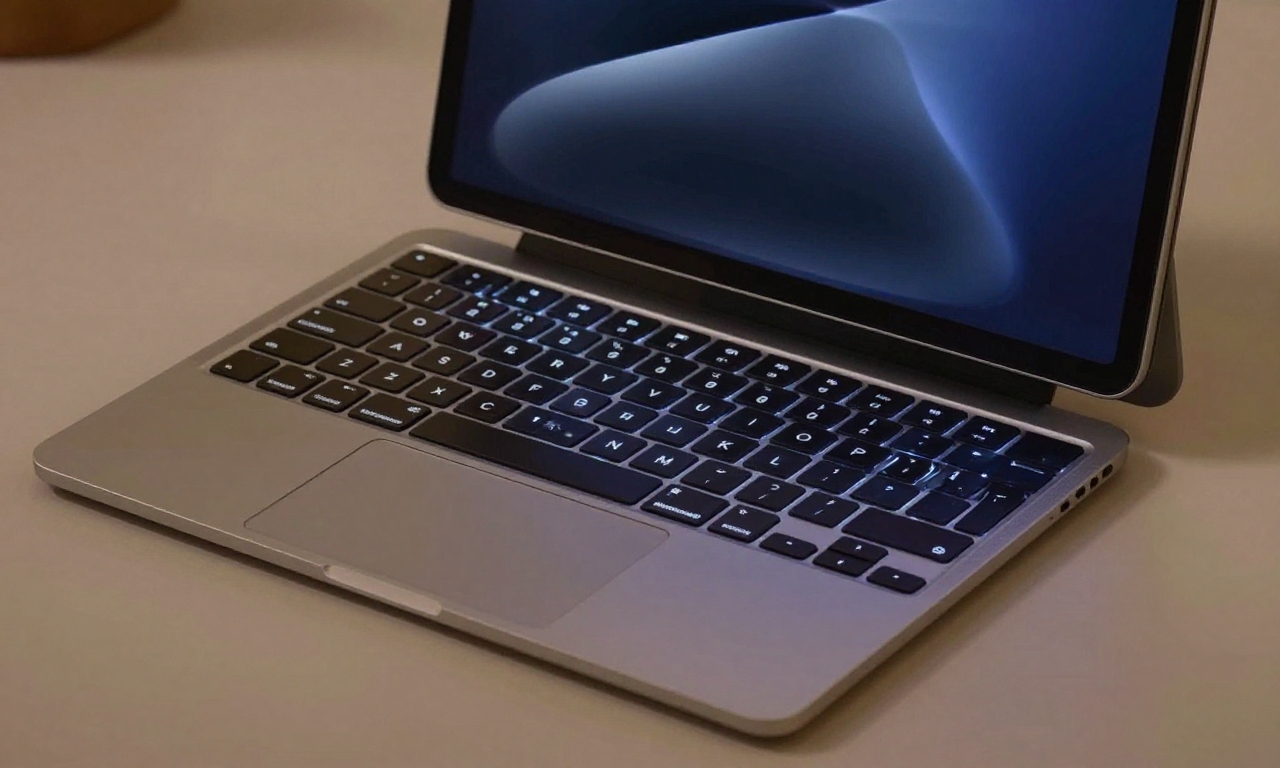
Apple’s Magic Keyboard represents the company’s vision for the ultimate iPad typing experience, offering seamless integration that feels like an extension of the iPad itself. This keyboard case connects magnetically to your iPad, requiring no Bluetooth pairing or separate charging-it draws power directly from the iPad’s Smart Connector. The result is a plug-and-play experience that’s always ready when you need it.
Key Advantages
- Best-in-Class Trackpad: The Magic Keyboard features a responsive, glass trackpad with multi-touch gestures that mirror the MacBook experience, including pinch-to-zoom, two-finger scrolling, and three-finger app switching.
- Excellent Typing Experience: Backlit keys with 1mm of travel provide a comfortable typing experience that rivals many laptop keyboards, complete with a full function row for brightness, volume, and media controls.
- Floating Design: The cantilevered hinge allows for smooth adjustment of viewing angles while keeping the iPad elevated for better ergonomics during extended typing sessions.
- Seamless Ecosystem Integration: Automatic pairing, instant wake/sleep functionality, and perfect compatibility with iPadOS features make this the most integrated option available.
Notable Limitations
- Premium Pricing: At $299 for the 11-inch model and $349 for the 12.9-inch version, this is by far the most expensive option in our comparison.
- Added Bulk and Weight: The Magic Keyboard significantly increases the iPad’s overall footprint and weight, making it less portable than other options.
- Limited Protection: While the keyboard and trackpad are protected when closed, the iPad’s sides remain exposed to potential damage from drops or impacts.
- Fixed Angle: Unlike some competitors, the viewing angle isn’t adjustable beyond the hinge’s predetermined range.
Logitech Combo Touch: Balanced Functionality and Value
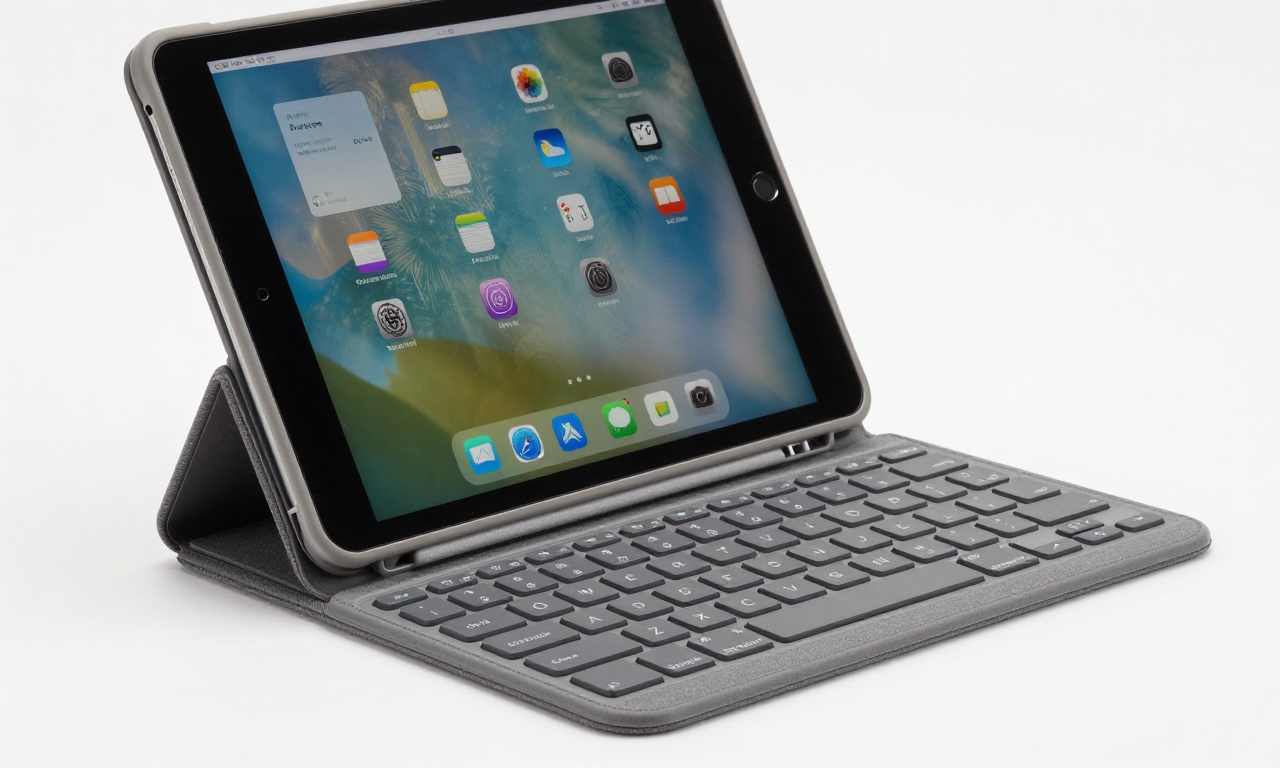
Logitech’s Combo Touch offers a compelling middle ground between premium features and practical value. This detachable keyboard case provides full iPad protection while maintaining excellent typing quality and including a functional trackpad. For users who want comprehensive protection without sacrificing productivity features, the Combo Touch represents a smart compromise.
Key Advantages
- Full iPad Protection: Unlike the Magic Keyboard, the Combo Touch wraps completely around your iPad, providing bumper-style protection on all sides and corners.
- Detachable Keyboard: The keyboard can be easily removed when you want to use your iPad as a tablet, then reattached magnetically when you need to type.
- Adjustable Kickstand: The built-in kickstand offers a wide range of viewing angles, from nearly flat to almost vertical, accommodating different desk setups and lap use.
- Significant Cost Savings: Priced around $150-$180 depending on the iPad model, the Combo Touch offers similar functionality to the Magic Keyboard at roughly half the price.
Notable Limitations
- Less Refined Trackpad: While functional, the plastic trackpad doesn’t match the smooth glass surface of Apple’s offering, and the click mechanism feels less premium.
- Material Concerns: The fabric-covered keyboard deck tends to attract fingerprints and smudges more readily than Apple’s materials.
- Separate Charging: Unlike the Magic Keyboard, the Combo Touch requires occasional charging via USB-C, though battery life is measured in months between charges.
- Bulkier Design: The full protection adds more bulk than the Magic Keyboard, though the detachable nature helps mitigate this when using the iPad as a tablet.
Logitech Flip Folio: Tablet-First Portability
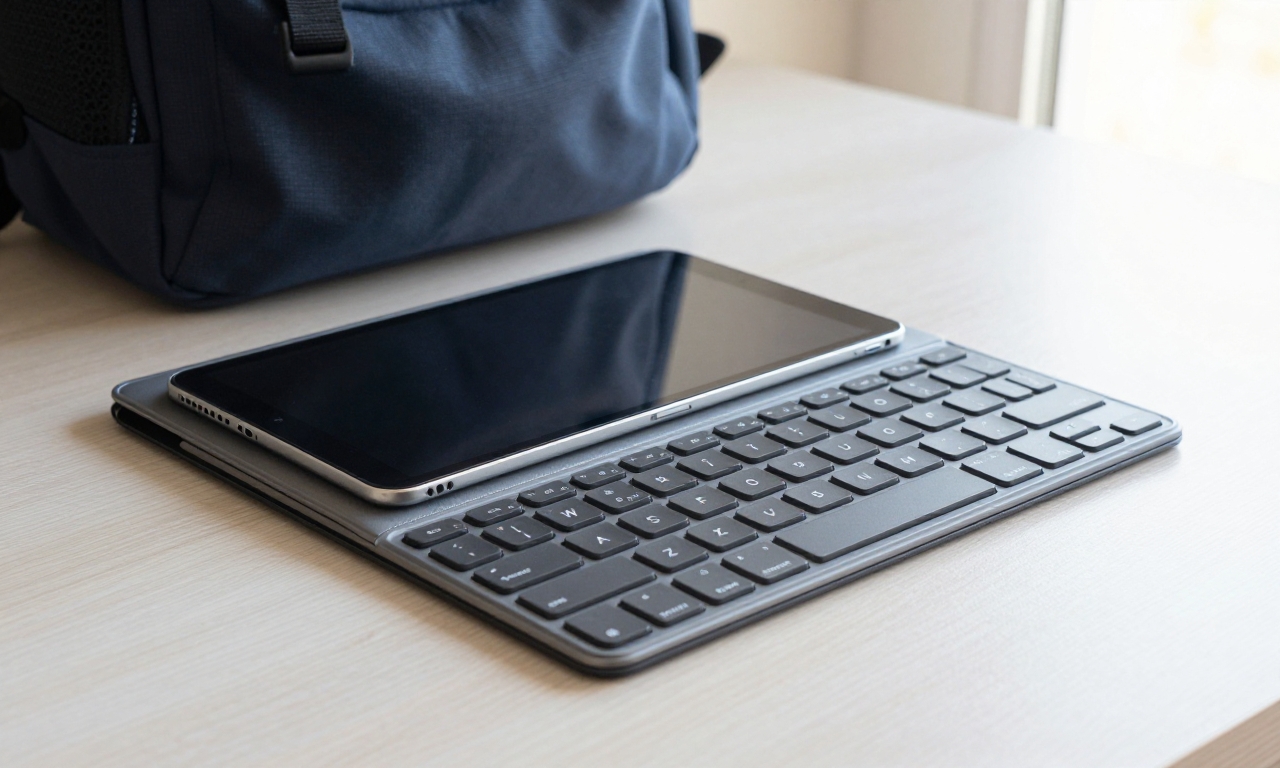
For users who prioritize portability and occasional keyboard use, the Logitech Flip Folio offers a lightweight, magnetic solution that keeps the iPad experience front and center. This keyboard case emphasizes simplicity and ease of use, making it ideal for students, travelers, and anyone who uses their iPad primarily as a tablet with occasional typing needs.
Key Advantages
- Ultra-Portable Design: At just over half a pound, the Flip Folio adds minimal weight to your iPad, making it easy to carry all day without fatigue.
- Magnetic Attachment: The keyboard attaches magnetically to the front cover and can be easily removed when not needed, offering true flexibility.
- Affordable Pricing: Typically priced under $100, this is the most budget-friendly option in our comparison while still offering quality typing.
- Wireless Connectivity: Bluetooth pairing means you can use the keyboard separately from the case, offering more flexibility in positioning.
Notable Limitations
- No Trackpad: The absence of a trackpad means you’ll need to rely on touch input for navigation, which can slow down productivity workflows.
- Limited Protection: Like the Magic Keyboard, the Flip Folio doesn’t provide full side protection, leaving edges vulnerable to damage.
- Potential for Accidental Detachment: The magnetic connection, while convenient, can sometimes detach in crowded bags or tight spaces.
- Basic Typing Experience: While adequate for occasional use, the keys offer less travel and feedback compared to the other options.
Comparative Analysis: Which Keyboard Fits Your Needs?
Choosing between these three excellent options comes down to understanding your priorities and usage patterns. Each keyboard excels in different scenarios, and the right choice depends on how you plan to use your iPad.
| Feature | Apple Magic Keyboard | Logitech Combo Touch | Logitech Flip Folio |
|---|---|---|---|
| Price Range | $299-$349 | $150-$180 | $80-$100 |
| Typing Quality | Excellent | Very Good | Good |
| Trackpad Quality | Best-in-Class | Functional | None |
| iPad Protection | Partial | Full | Partial |
| Portability | Low | Medium | High |
| Best For | Power users, professionals | Students, value seekers | Casual users, travelers |
Recommendation Scenarios
Choose the Magic Keyboard if: You use your iPad as a primary productivity device and value seamless integration above all else. The premium trackpad and typing experience justify the cost for professionals who spend hours typing each day. If budget isn’t a primary concern and you want the most polished iPad typing experience available, this is your best choice.
Choose the Combo Touch if: You need a balance of functionality, protection, and value. The detachable design offers flexibility, while the full protection provides peace of mind for students or frequent travelers. This option makes the most sense if you want trackpad functionality without paying Apple’s premium prices.
Choose the Flip Folio if: Portability and simplicity are your top priorities. If you primarily use your iPad as a tablet with occasional typing needs, or if you’re on a tight budget, this lightweight option delivers solid performance without unnecessary features. It’s particularly well-suited for students who carry their iPad all day.
Final Verdict: Ecosystem Excellence vs Practical Value
All three keyboards deliver reliable performance that can transform your iPad into a capable productivity machine. Apple’s Magic Keyboard represents the pinnacle of ecosystem integration, offering a trackpad and typing experience that genuinely rivals traditional laptops. However, this excellence comes at a significant cost premium and with some practical compromises regarding protection and portability.
Logitech’s offerings demonstrate that excellent alternatives exist outside Apple’s ecosystem. The Combo Touch provides nearly all the functionality of the Magic Keyboard at half the price, with the added benefit of full iPad protection. Meanwhile, the Flip Folio proves that sometimes less is more-offering a lightweight, affordable solution for users who don’t need every feature.
The right iPad keyboard isn’t about finding the “best” option overall, but rather identifying which combination of features, protection, and price best matches your specific workflow and priorities.
As iPadOS continues to evolve with more desktop-class features, the importance of choosing the right keyboard will only increase. Whether you prioritize Apple’s seamless integration, Logitech’s balanced value proposition, or maximum portability, there’s now a keyboard solution that can help you get the most from your iPad investment. Consider your daily usage patterns, budget constraints, and protection needs carefully-any of these three options can successfully bridge the gap between tablet and laptop when paired with the right user.









Ciao, volevo sapere il tuo prezzo.